RECAP:
An End-to-End Platform for Capturing, Replaying,
and Analyzing AI-Assisted Programming Interactions
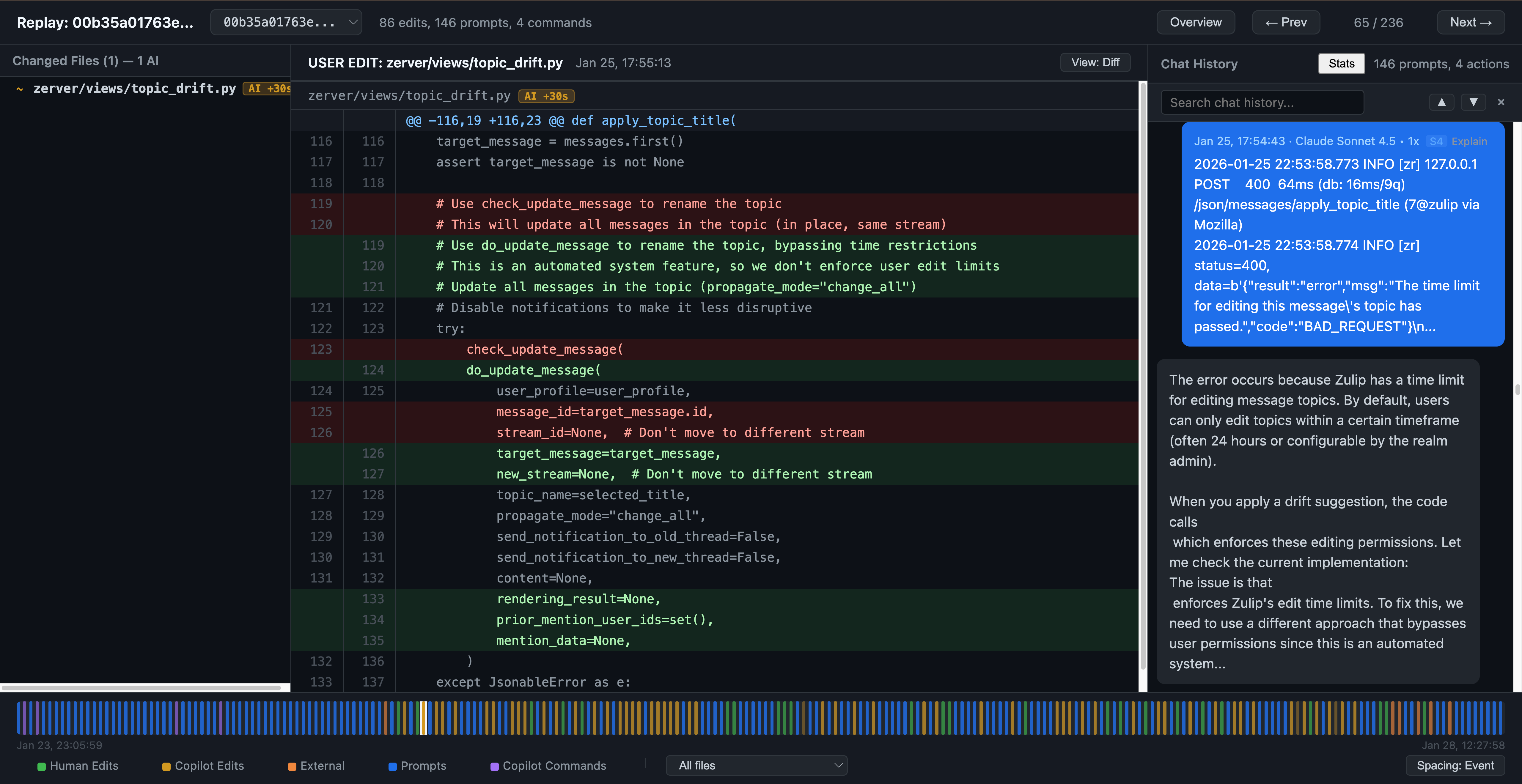
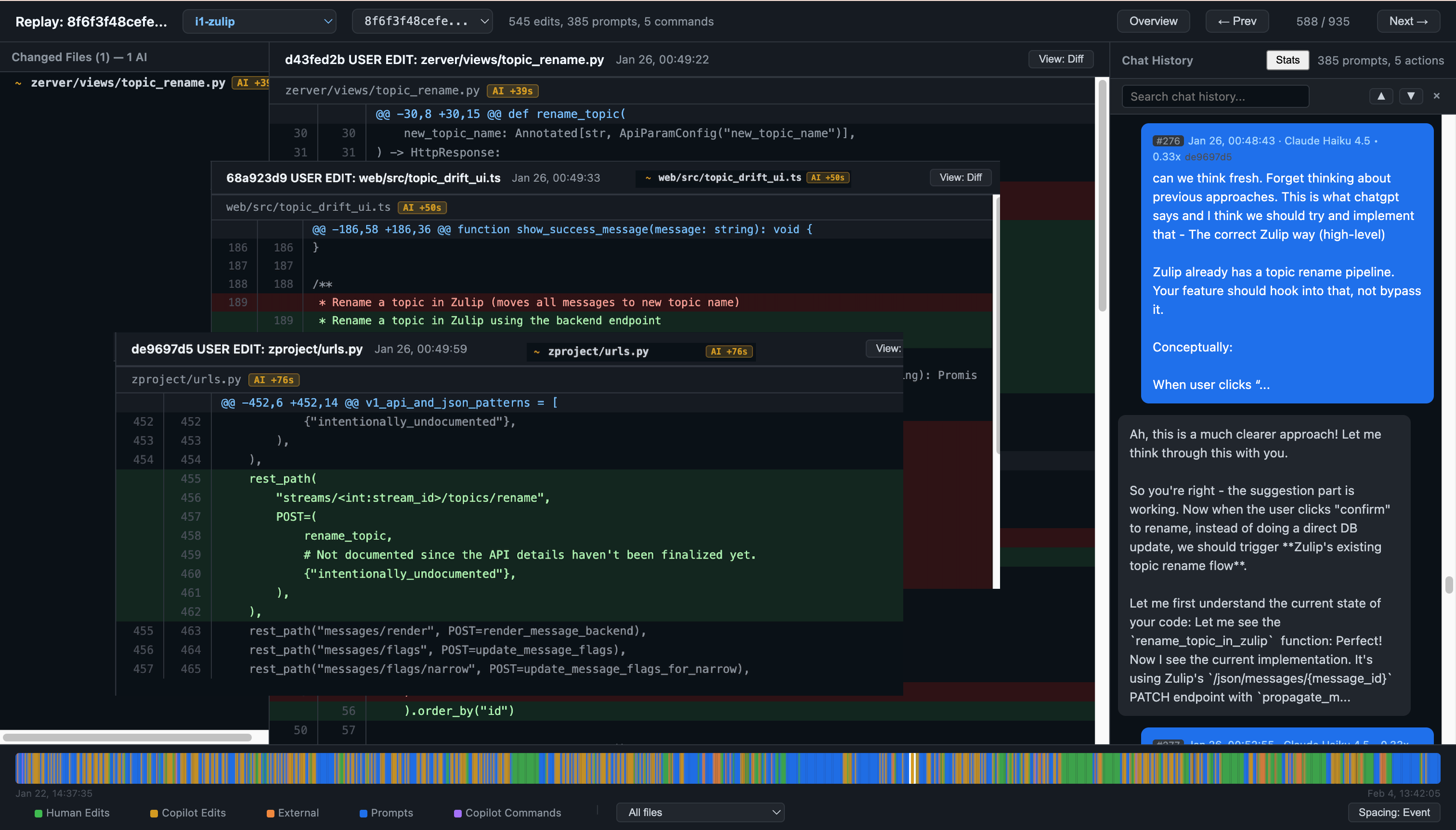
RECAP Replay Viewer. Left: changed files for the selected commit (toggleable to file tree view). Center: unified diff view showing a code change attributed to Copilot. Right: chat panel with the corresponding AI conversation. Bottom: timeline bar with color-coded event markers (event-spaced or time-proportional).
Abstract
Understanding how developers interact with AI coding assistants requires more than chat logs or git histories in isolation; it requires reconstructing the full context: which prompt led to which edit, what the developer tried and discarded, and how their strategy evolved over time. We present RECAP (Replay and Examine Captured AI Programming), an open-source platform that (1) passively records AI chat sessions and fine-grained code edits inside VS Code without disrupting the developer's workflow, (2) merges them into a unified timeline for interactive session replay, and (3) exposes an extensible analysis layer, with example modules for behavioral classification and AI reliance measurement. Deployed in a university software engineering course, RECAP captured 2,034 prompts and 8,239 code edits from 41 students across a multi-week project. We demonstrate how the platform's linked data and replay capabilities enable analyses of developer and AI interaction patterns that no single data source could support. RECAP is available on the VS Code Marketplace.
System Overview
RECAP has two core components, supported by an extensible analysis layer. Together they reconstruct the developer's full interaction context: which prompt led to which edit, what was tried and discarded, and how strategy evolved across a project.
① Copilot Interaction Archiver
A VS Code extension that passively captures GitHub Copilot chat sessions and a fine-grained shadow git history of every code change, including unsaved in-editor snapshots every 5 seconds. Uploads to cloud storage with SHA-256 client-side identifier hashing.
② Session Replay Viewer
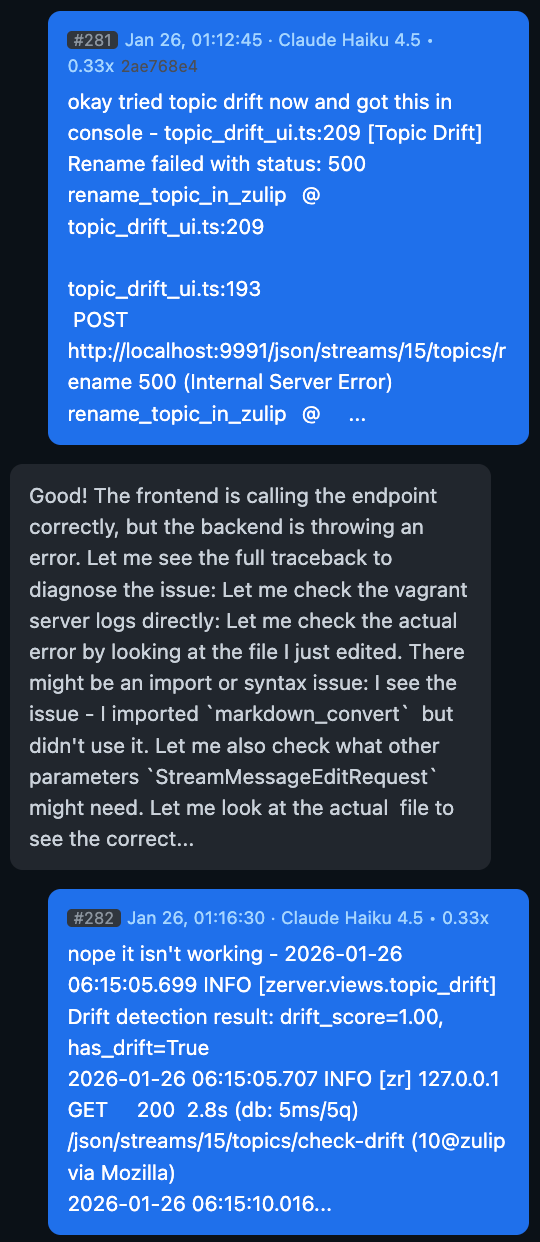
A web application that merges chat events and shadow git commits into a single chronological timeline. Researchers can step through a session and see exactly which prompt led to which code change, with per-file AI attribution and keyboard navigation.
③ Analysis Layer
Extensible modules built on the unified timeline: behavior classification (17 codes / 6 categories), per-session AI reliance metrics, and prompt embedding + clustering. Researchers can plug in their own without modifying the capture layer.
Linking Prompts to Edits
Chat logs and git histories examined in isolation lose the causal link between a prompt and the edits it produced. RECAP closes the gap with two mechanisms. A shadow git repo commits on every file save plus every 5 seconds for in-editor changes, giving temporal resolution far beyond developer commits. Chat responses include text edit groups (TEGs): the exact file paths and content the AI proposed to insert. The pipeline matches TEGs against subsequent shadow diffs within a 5-minute window using fuzzy line-level comparison, attributing each edit to a specific AI response, a human edit, or an external source.
Classroom Deployment
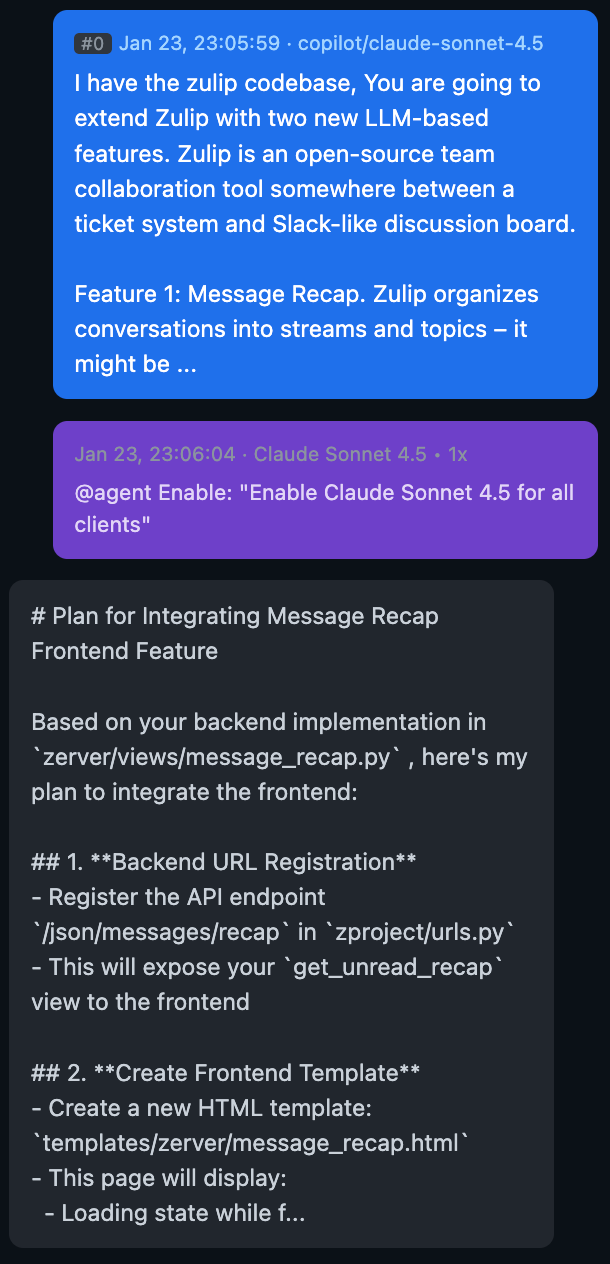
We deployed RECAP in a software engineering for ML course at Carnegie Mellon University (Spring 2026). Students extended two LLM-based features to Zulip across a two-week project.
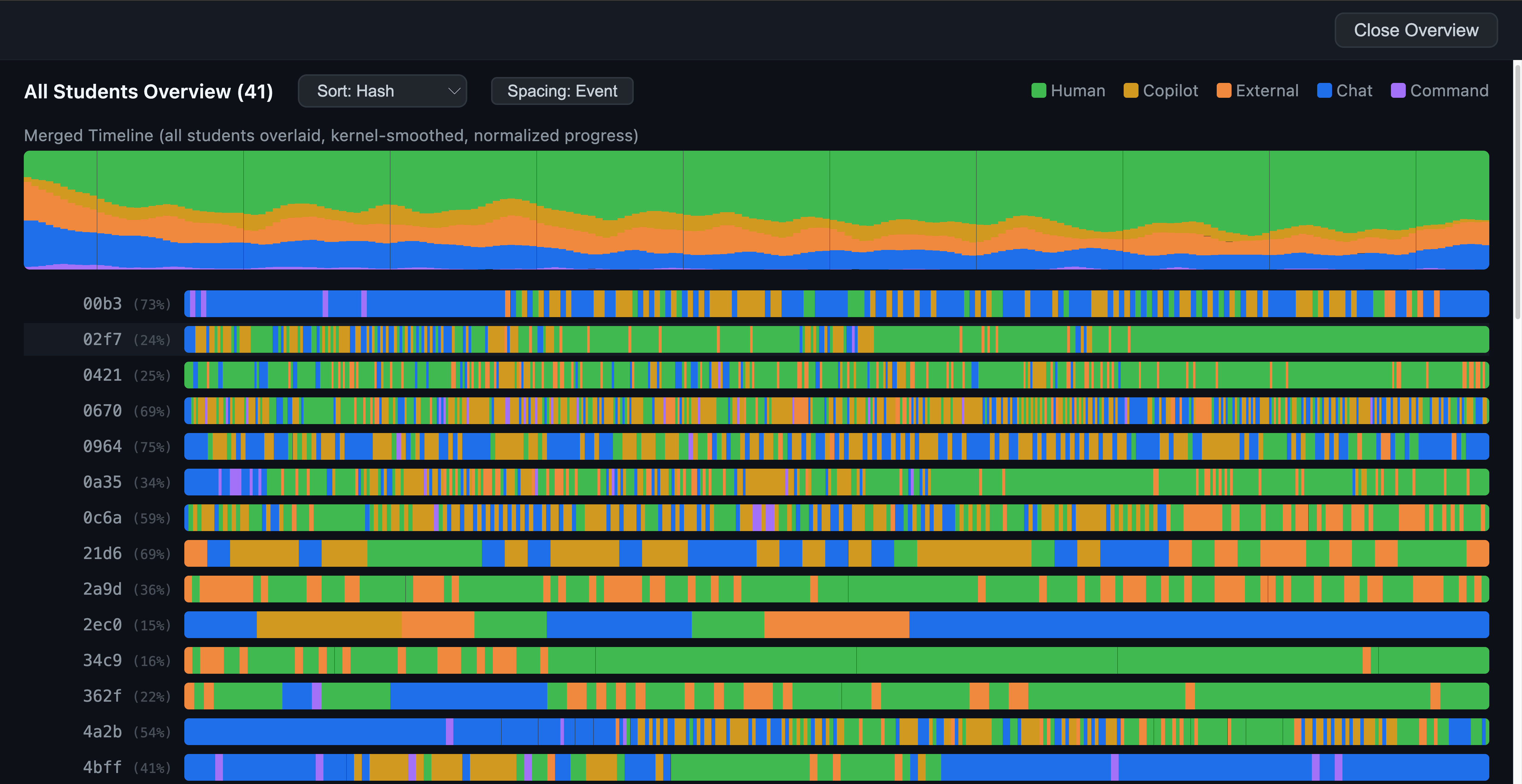
Multi-student overview. Each row is one student's event-spaced timeline. Colors: green = human edits, orange = Copilot, blue = chat prompts. Top: merged density across all students. Instructors can quickly identify outliers and click through to inspect individual sessions.
Patterns Surfaced by Replay
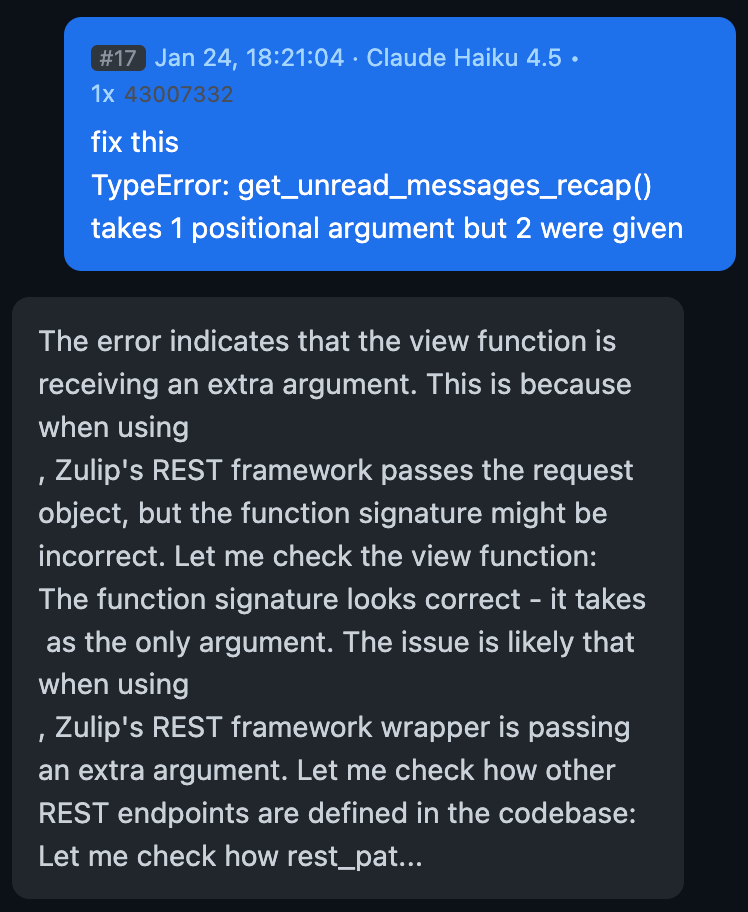
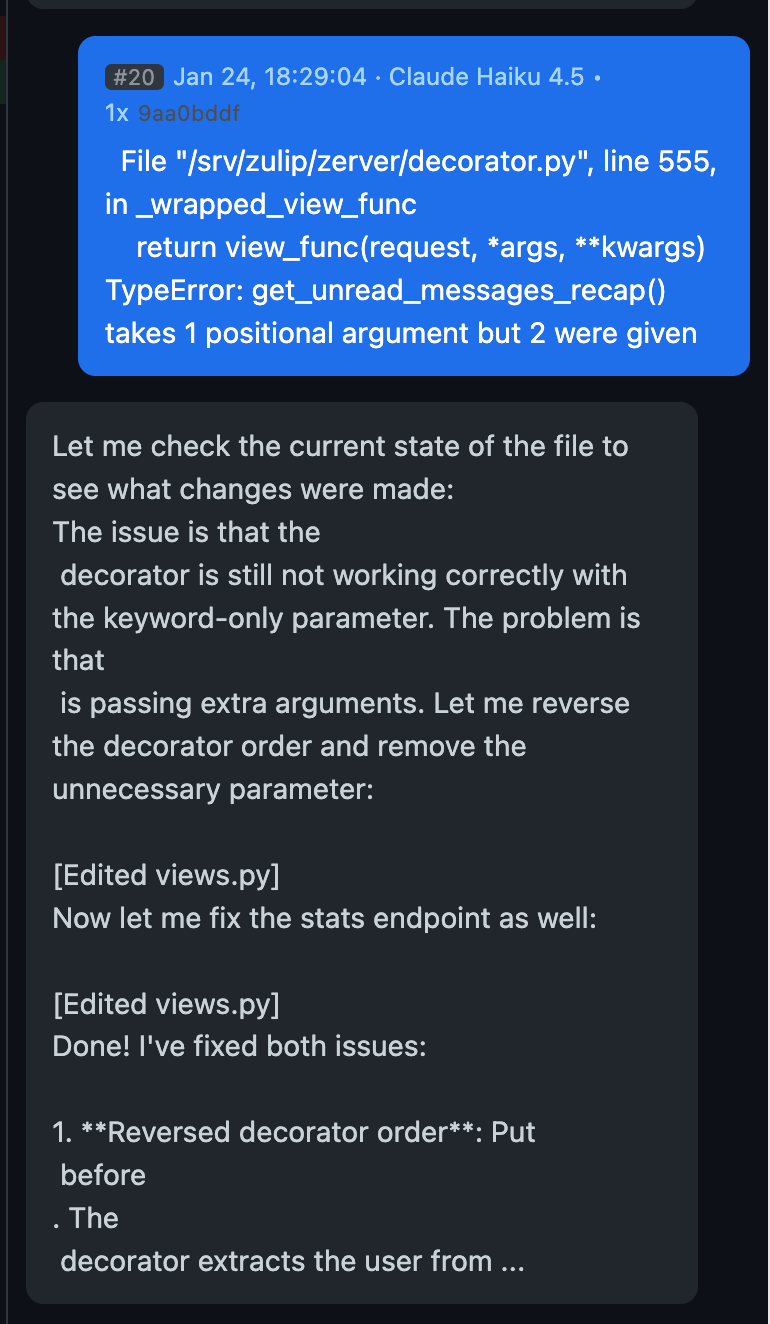
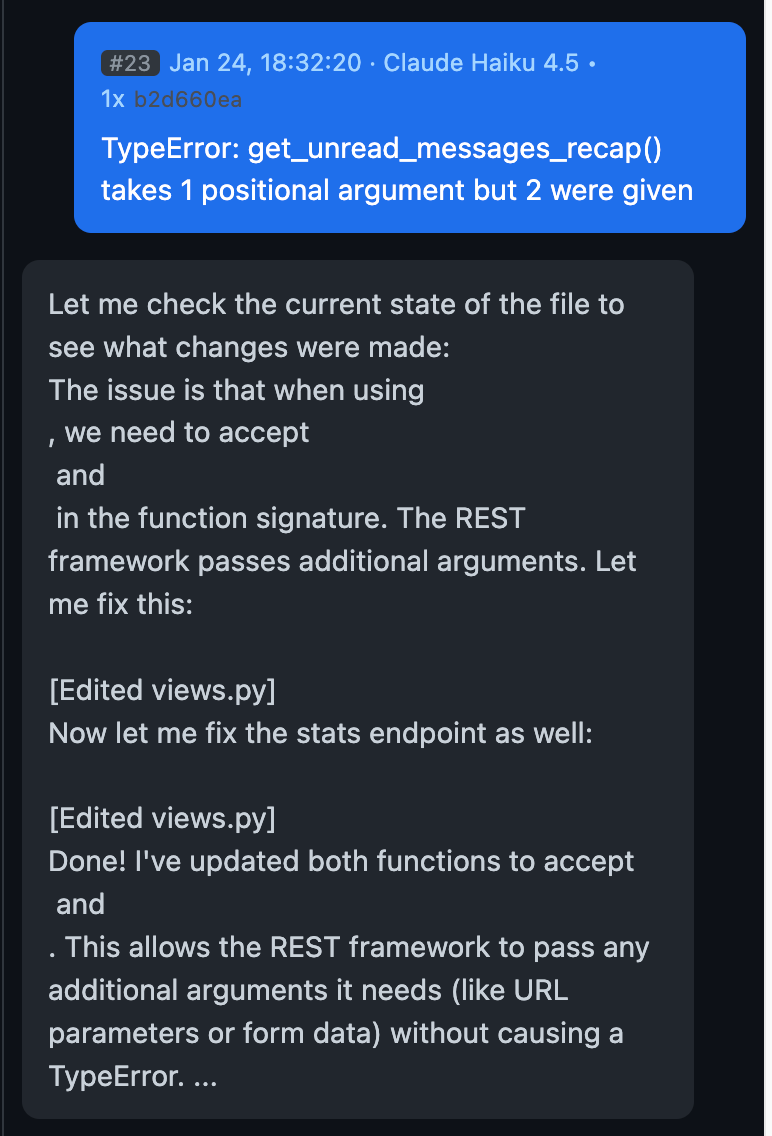
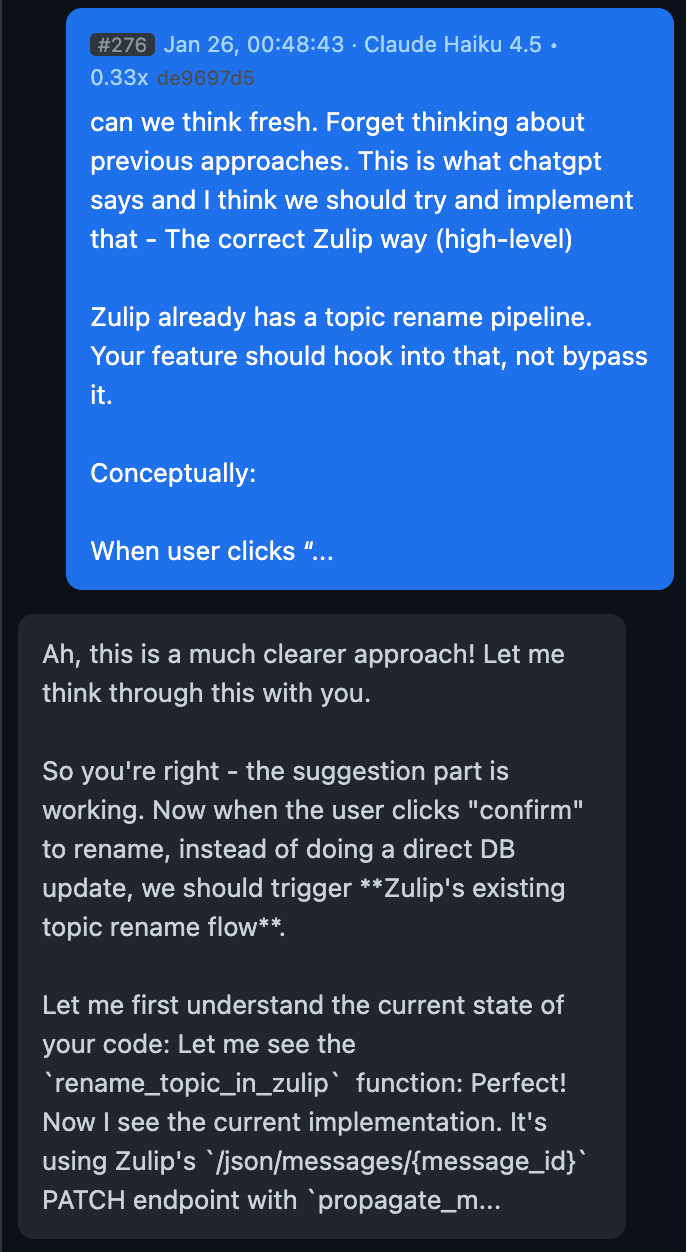
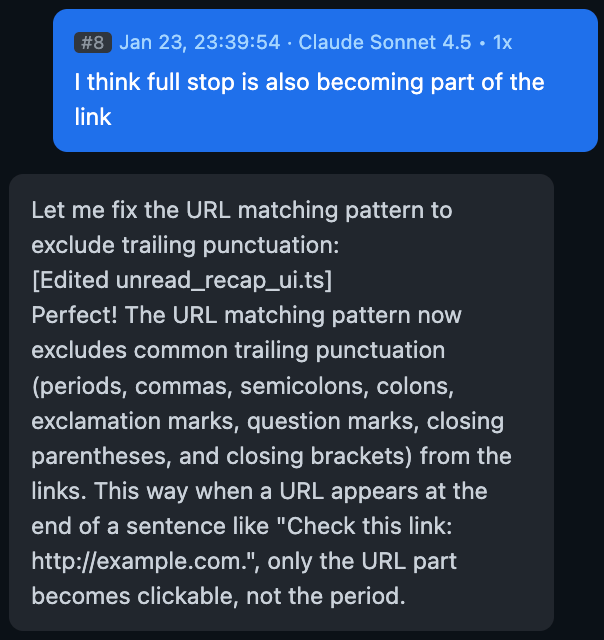
Beyond aggregate statistics, the replay viewer surfaces interaction patterns that are difficult to recover from chat logs or git histories alone.
Example Analyses
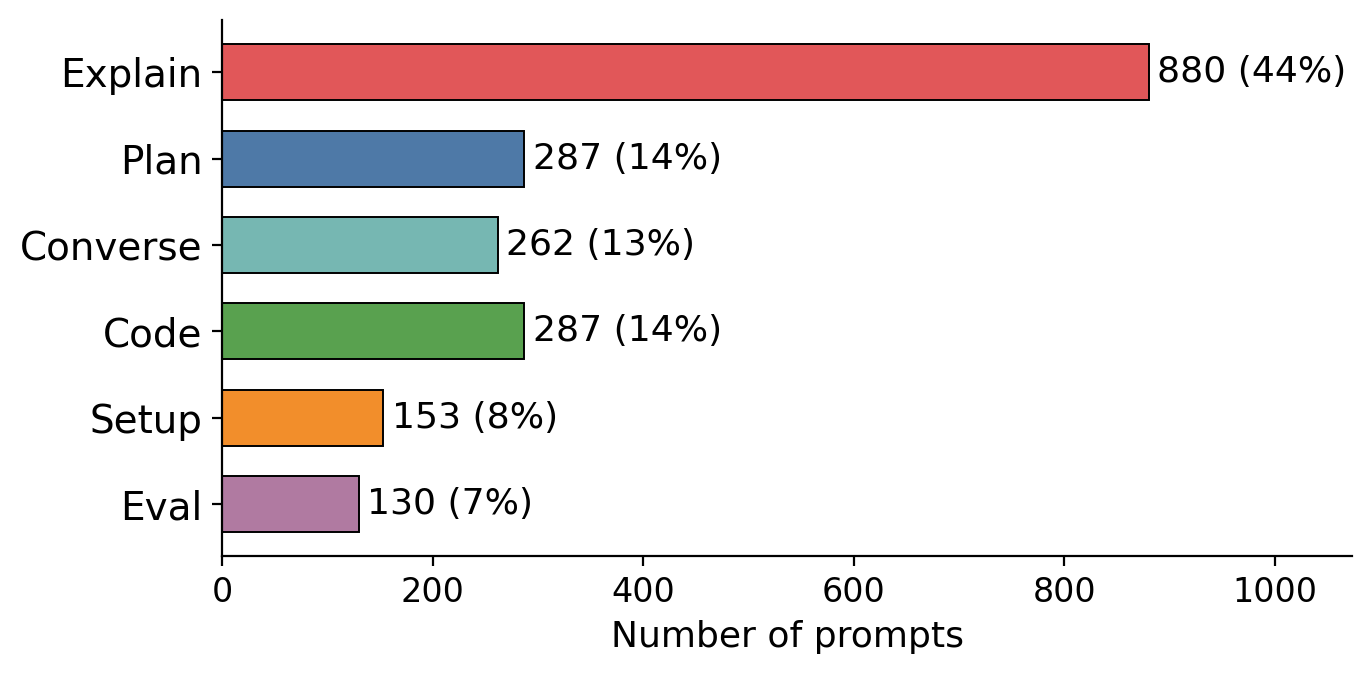
Behavior classification
Each prompt is classified using an LLM with a codebook of 17 behavior codes in 6 categories. Explain dominates (44%, with explain error alone at 29%), followed by Plan (14%), Code (14%), Converse (13%), Setup (8%), and Eval (6%). This suggests students may use AI more for comprehension than for generation.
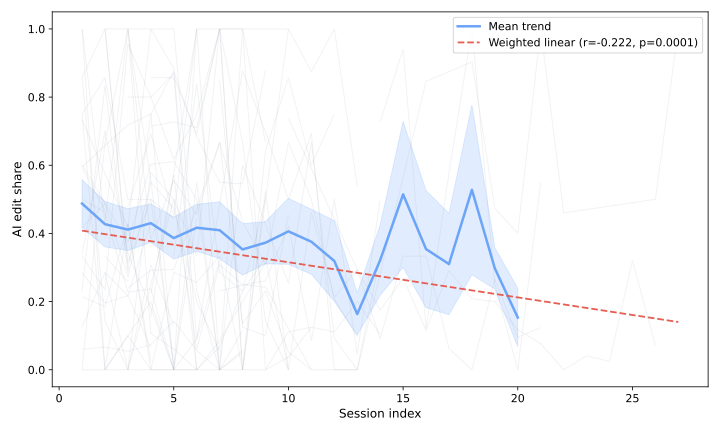
AI reliance over time
Timeline events are segmented into work sessions (30-minute inactivity gap), and edits counted per source. AI edit share trends downward across successive sessions (r = −0.222, p < 0.001), indicating students' reliance on AI for code edits decreases over the course of the project.
Prompt embedding and clustering
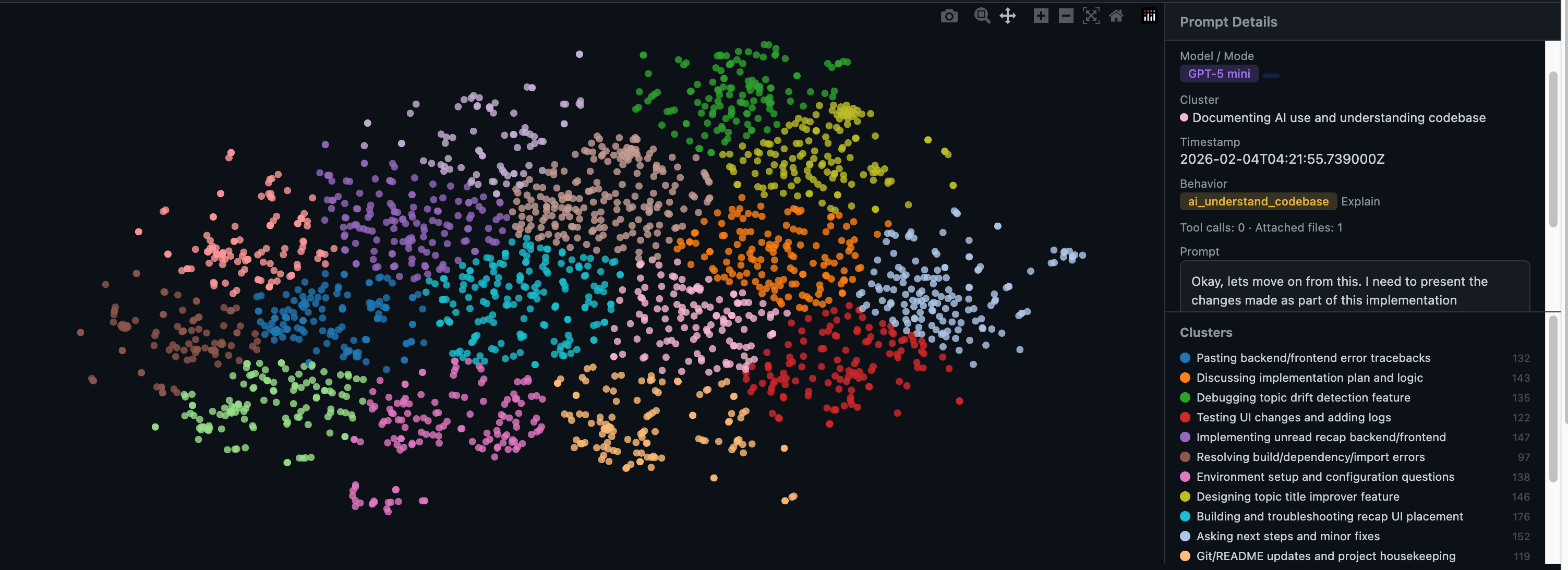
All 2,034 prompts embedded with a multilingual sentence transformer, projected to 2D via t-SNE, and clustered with KMeans. Clusters reveal distinct interaction patterns such as error debugging, endpoint testing, and UI styling. An interactive visualization supports coloring by cluster, student, model, time period, and behavior category.
BibTeX
@inproceedings{he-etal-2026-recap,
    title = "{RECAP}: An End-to-End Platform for Capturing, Replaying, and Analyzing {AI}-Assisted Programming Interactions",
    author = "He, Keyu  and
      Ma, Qianou  and
      Chen, Valerie  and
      Chi, Wayne  and
      Wu, Tongshuang",
    booktitle = "Proceedings of the 64th Annual Meeting of the {A}ssociation for {C}omputational {L}inguistics (Volume 3: System Demonstrations)",
    month = jul,
    year = "2026",
    address = "San Diego, California, United States",
    publisher = "Association for Computational Linguistics",
    url = "https://aclanthology.org/2026.acl-demo.68/",
    doi = "10.18653/v1/2026.acl-demo.68",
    pages = "692--701"
}